
When a document, spreadsheet, or presentation has to round-trip cleanly with Microsoft Office users, ONLYOFFICE Desktop Editors is one of the easier fits on Fedora. Fedora’s default repositories do not ship it, so you install ONLYOFFICE on Fedora through third-party packaging rather than a standard dnf install, which still leaves you with a full local suite for offline editing.
For most people, the easiest path is the Flathub build with normal Flatpak updates. If you prefer a direct upstream package outside Flatpak, the comparison and commands below cover that route too.
Install ONLYOFFICE on Fedora
Both supported methods work on Fedora, but they behave differently once updates and cleanup matter. Compare them first, then jump into the package format that fits your system.
| Method | Channel | Version | Updates | Best For |
|---|---|---|---|---|
| Flatpak | Flathub | Latest stable | flatpak update | Most Fedora Workstation users who want the simpler maintenance path |
| Official RPM | ONLYOFFICE download page | Latest stable | Manual download and reinstall | Readers who want the upstream RPM outside Flatpak |
The Flatpak is the easier default because it updates through Flathub and matches Fedora Workstation’s existing Flatpak workflow. Use the RPM when you want the upstream package directly and do not mind handling upgrades yourself.
Update Fedora Before Installing ONLYOFFICE
Refresh Fedora first so DNF pulls current dependency metadata before you add ONLYOFFICE. If package downloads feel slow on your system, you can also increase DNF speed on Fedora.
sudo dnf upgrade --refreshThis guide uses
sudofor commands that need root privileges. If your account does not have sudo access yet, follow the guide to add a user to sudoers on Fedora.
Install ONLYOFFICE from the Official RPM
Use the upstream RPM when you want the direct ONLYOFFICE package and you are comfortable managing updates manually. ONLYOFFICE labels this download for CentOS and RHEL, but the package also installs cleanly on Fedora.
curl -L -o onlyoffice-desktopeditors.x86_64.rpm https://download.onlyoffice.com/install/desktop/editors/linux/onlyoffice-desktopeditors.x86_64.rpmThe -L flag follows redirects, and -o saves the file with a predictable name for the install step that follows.
sudo dnf install ./onlyoffice-desktopeditors.x86_64.rpmDNF treats the download as a local RPM and resolves the Fedora-side dependencies around it. This method does not add a Fedora repository, which is why updates stay manual.
Verify the ONLYOFFICE RPM Install
Confirm that Fedora registered the package correctly:
rpm -q onlyoffice-desktopeditorsonlyoffice-desktopeditors-9.3.1-8.el7.x86_64
The el7 release tag comes from ONLYOFFICE’s upstream build naming. Even with that tag, the package installs and launches normally on Fedora.
Install ONLYOFFICE from Flathub
Use the Flatpak when you want the simpler update path on Fedora. Flathub publishes ONLYOFFICE Desktop Editors under the app ID org.onlyoffice.desktopeditors.
Fedora Workstation already includes Flatpak. On Server or minimal images, install it first if the flatpak command is missing:
sudo dnf install flatpakThen make sure the system Flathub remote exists. The --if-not-exists flag keeps the command safe on systems where Flathub is already configured.
sudo flatpak remote-add --if-not-exists flathub https://dl.flathub.org/repo/flathub.flatpakreposudo flatpak install flathub org.onlyoffice.desktopeditors -yThe -y flag accepts Flatpak’s confirmation prompt automatically, which keeps the install copy-and-paste friendly.
Verify the ONLYOFFICE Flatpak Install
Check the app ID, branch, version, and installation scope:
flatpak info org.onlyoffice.desktopeditorsONLYOFFICE Desktop Editors - Office productivity suite
ID: org.onlyoffice.desktopeditors
Ref: app/org.onlyoffice.desktopeditors/x86_64/stable
Arch: x86_64
Branch: stable
Version: 9.3.1
Origin: flathub
Installation: system
The Flathub package already reports host file access, so there is no need for an extra flatpak override command just to open local files.
Launch ONLYOFFICE on Fedora
After installation, you can start ONLYOFFICE from a command or from GNOME’s Activities search. The package and terminal command use onlyoffice-desktopeditors, while the desktop launcher appears as ONLYOFFICE.
Open ONLYOFFICE from the Terminal
Use the command that matches the package format you installed.
onlyoffice-desktopeditorsFor the Flatpak build:
flatpak run org.onlyoffice.desktopeditorsOpen ONLYOFFICE from Activities
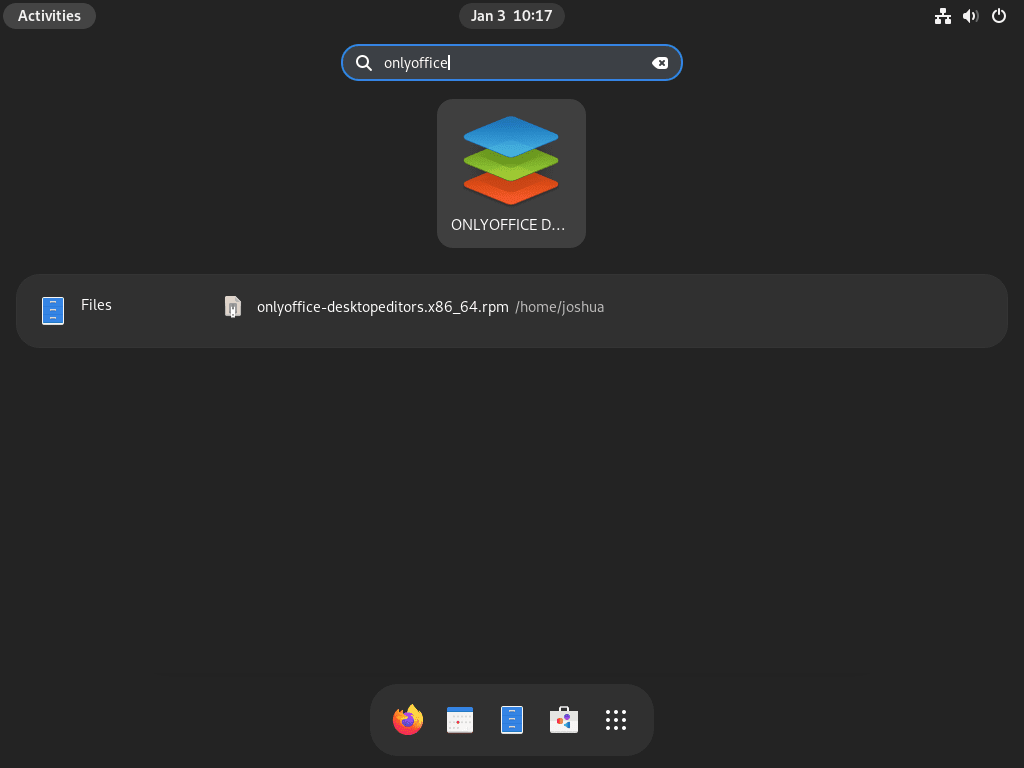
The desktop entry appears as ONLYOFFICE in GNOME search.
- Open Activities.
- Search for
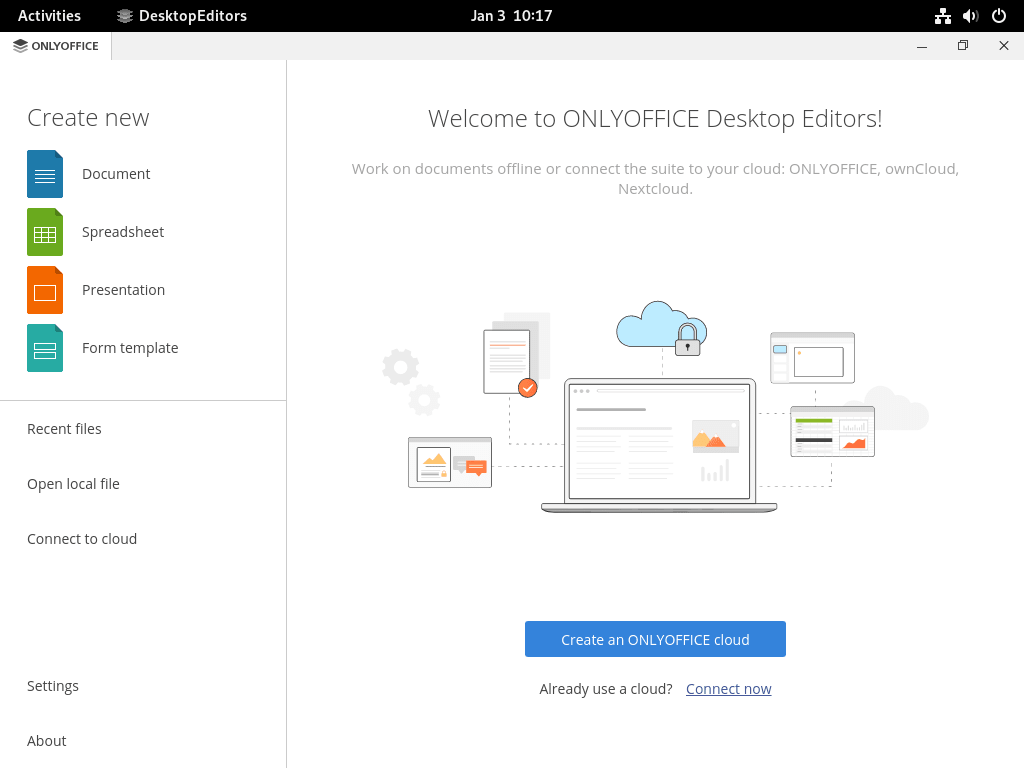
ONLYOFFICE. - Open the ONLYOFFICE launcher to reach the start center.
Troubleshoot ONLYOFFICE on Fedora
These are the Fedora-side issues most likely to interrupt the install, along with the fixes that resolve them.
Fix ONLYOFFICE Flatpak Permission Errors
If you try to install the Flathub package against a system remote without sudo, Flatpak can fail with the following error:
Warning: Flatpak system operation Deploy not allowed for user
error: Failed to install org.freedesktop.Platform: Flatpak system operation Deploy not allowed for user
That message means Fedora is treating Flathub as a system remote, so the install needs elevated privileges.
sudo flatpak install flathub org.onlyoffice.desktopeditors -yThen confirm the application is installed:
flatpak info org.onlyoffice.desktopeditorsONLYOFFICE Desktop Editors - Office productivity suite
ID: org.onlyoffice.desktopeditors
Version: 9.3.1
Installation: system
Fix a Disabled Flathub Remote for ONLYOFFICE
If Flathub exists but Fedora has it disabled, Flatpak returns this error:
error: Unable to load summary from remote flathub: Can't fetch summary from disabled remote 'flathub'
Re-enable the system remote, then verify that flathub shows up as an active system entry.
sudo flatpak remote-modify --enable flathubflatpak remotes --columns=name,optionsfedora system,oci flathub system
Update or Remove ONLYOFFICE on Fedora
The maintenance path depends on which package format you chose. Flatpak updates through Flathub, while the RPM stays a direct download that you reinstall when a newer build appears.
Update the ONLYOFFICE Flatpak
System-scope Flatpak installs update through Flathub:
sudo flatpak update org.onlyoffice.desktopeditors -yUpdate the ONLYOFFICE RPM
The upstream RPM does not add a Fedora repository, so the update path is simply a newer download followed by another local DNF install.
curl -L -o onlyoffice-desktopeditors.x86_64.rpm https://download.onlyoffice.com/install/desktop/editors/linux/onlyoffice-desktopeditors.x86_64.rpmsudo dnf install ./onlyoffice-desktopeditors.x86_64.rpmRemove the ONLYOFFICE RPM
Remove the upstream package with DNF:
sudo dnf remove onlyoffice-desktopeditorsThen verify the package is gone:
rpm -q onlyoffice-desktopeditorspackage onlyoffice-desktopeditors is not installed
After the first RPM launch, ONLYOFFICE creates
~/.config/onlyofficeand~/.local/share/onlyoffice. Delete those paths only if you want a full reset of recent files and local preferences.
rm -rf ~/.config/onlyoffice ~/.local/share/onlyofficeRemove the ONLYOFFICE Flatpak
Remove the system install first:
sudo flatpak remove org.onlyoffice.desktopeditors -yOn Fedora, that system removal can remove the app itself but still leave the per-user data directory behind. If you want a full cleanup, remove the remaining data manually.
rm -rf ~/.var/app/org.onlyoffice.desktopeditorsVerify that the Flatpak application is no longer installed:
flatpak info org.onlyoffice.desktopeditorserror: org.onlyoffice.desktopeditors/*unspecified*/*unspecified* not installed
If you no longer need the runtimes ONLYOFFICE pulled in, remove unused Flatpak dependencies too:
sudo flatpak uninstall --unused -yONLYOFFICE on Fedora FAQ
DNF can install the downloaded upstream RPM file, but Fedora’s default repositories do not provide ONLYOFFICE Desktop Editors. Use sudo dnf install ./onlyoffice-desktopeditors.x86_64.rpm for the direct RPM, or use the Flathub Flatpak instead.
Use the Flatpak if you want the easier default on Fedora Workstation and normal sudo flatpak update org.onlyoffice.desktopeditors -y maintenance. Use the RPM when you prefer the direct upstream package and do not mind downloading a newer RPM for updates.
Yes. ONLYOFFICE labels the download for CentOS and RHEL, but the onlyoffice-desktopeditors.x86_64.rpm package also installs cleanly on Fedora.
Flathub publishes ONLYOFFICE Desktop Editors as org.onlyoffice.desktopeditors. That is the ID used for flatpak info, flatpak run, and the Flathub install command on Fedora.
Conclusion
ONLYOFFICE is ready on Fedora, whether you chose the easier Flathub route or the direct upstream RPM. If repository-native packaging matters more than OOXML compatibility, the next comparison point is to install LibreOffice on Fedora and decide which workflow fits your desktop better.

Formatting tips for your comment
You can use basic HTML to format your comment. Useful tags currently allowed:
<code>command</code>command<strong>bold</strong><em>italic</em><blockquote>quote</blockquote>