
Mixxx gives Ubuntu a full DJ workflow with beatmatching, controller support, recording, and Auto DJ without pushing you into proprietary software. If you want to install Mixxx on Ubuntu, download the current Mixxx beta, or stay on the safest stable build, the real decision is which release channel fits your machine: Ubuntu’s own package, Mixxx’s stable PPA, its beta or nightly PPAs, or a sandboxed Flatpak.
Ubuntu 26.04, 24.04, and 22.04 all have a working Mixxx path, but the right download path changes by release. Mixxx’s official download page sends Ubuntu users to its Launchpad PPAs instead of a separate standalone installer. Ubuntu 26.04 already ships Mixxx 2.5.4 from Universe, the stable PPA is the cleaner APT upgrade on 24.04 and 22.04, and beta or nightly downloads are currently documented for Ubuntu 24.04 or later. You can install the package from a terminal, but Mixxx itself still needs a graphical session and audio devices when you launch it.
Install Mixxx on Ubuntu
These installation paths cover Ubuntu 26.04, 24.04, and 22.04 without mixing package managers or Mixxx release channels. The Ubuntu package is simplest on 26.04, the stable PPA matters more on 24.04 and 22.04, preview PPAs are testing paths for 26.04 or 24.04, and Flatpak is the sandboxed alternative.
| Method | Channel | Version | Updates | Best For |
|---|---|---|---|---|
| Ubuntu repositories | Ubuntu Packages | Distribution default | Via APT updates | Lowest-maintenance install, especially on Ubuntu 26.04 |
| Mixxx stable PPA | Launchpad stable PPA | Mixxx 2.5.x stable | Via APT updates | Ubuntu 24.04 or 22.04 users who want current stable Mixxx through APT |
| Mixxx beta PPA | Launchpad beta PPA | Mixxx 2.6 beta snapshots | Via APT updates | Ubuntu 26.04 or 24.04 testers who want the next release line |
| Mixxx nightly PPA | Launchpad nightly PPA | Mixxx 2.7 alpha snapshots | Via APT updates | Ubuntu 26.04 or 24.04 testers who want main-branch builds |
| Flatpak | Flathub | Flathub stable build | Via Flatpak updates | Readers who prefer sandboxing or already use Flathub |
Use only one Mixxx PPA channel at a time. Remove the previous channel before switching between stable, beta, and nightly so APT does not keep preferring a different build than you expect. For beta or nightly testing, back up your Mixxx library and settings first and keep those builds off any system you rely on for live performances.
Update Ubuntu Before Installing Mixxx
Refresh package metadata first so APT sees the current Ubuntu and Launchpad package lists before you choose an installation method.
sudo apt update && sudo apt upgradeThese commands use
sudofor package-management tasks. If your account does not have admin access yet, follow the guide to add a new user to sudoers on Ubuntu before you continue.
Install Mixxx from Ubuntu Repositories
The Ubuntu package is the lowest-maintenance choice, especially on 26.04 where it already ships the current 2.5.x branch. Mixxx lives in Ubuntu’s Universe repository on every supported LTS release, so if apt cannot find the package on a minimal system, enable Universe and Multiverse in Ubuntu first.
sudo apt install -y mixxxThe -y flag accepts APT’s confirmation prompt automatically. After the install finishes, confirm the installed package version and source with:
apt-cache policy mixxxmixxx:
Installed: 2.5.4+dfsg-1build1
Candidate: 2.5.4+dfsg-1build1
Version table:
*** 2.5.4+dfsg-1build1 500
500 http://archive.ubuntu.com/ubuntu resolute/universe amd64 Packages
100 /var/lib/dpkg/status
Ubuntu 24.04 reports 2.4.0+dfsg-2build4 from noble/universe, and Ubuntu 22.04 reports 2.3.2~dfsg-1 from jammy/universe. That version gap is why the stable PPA matters more on the older LTS releases.
Install Mixxx from the Mixxx Stable PPA on Ubuntu 24.04 or 22.04
The stable PPA is the practical APT upgrade path on Ubuntu 24.04 and 22.04 because it lifts both releases to Mixxx 2.5.4. Mixxx’s official download page points Ubuntu users here first for the stable track, with manual Launchpad package downloads left as the fallback if you do not want to add the repo.
Ubuntu 26.04 can add the same PPA, but APT still prefers Ubuntu’s own 2.5.4+dfsg-1build1 package over the current 2.5.4-4~resolute PPA build, so this method usually does not buy 26.04 users anything. Standard Ubuntu desktop installs already include add-apt-repository, but install software-properties-common first on a minimal system if the command is missing.
sudo apt install -y software-properties-commonOnce add-apt-repository is available, import the stable PPA.
sudo add-apt-repository -y ppa:mixxx/mixxxRefresh APT after adding the PPA, then confirm that it becomes the preferred candidate on Ubuntu 24.04 or 22.04 before you install the package.
sudo apt update
apt-cache policy mixxx
Ubuntu 22.04 shows the new Launchpad source like this, and Ubuntu 24.04 uses the same path with noble instead of jammy.
Get:5 https://ppa.launchpadcontent.net/mixxx/mixxx/ubuntu jammy InRelease [24.6 kB]
Get:6 https://ppa.launchpadcontent.net/mixxx/mixxx/ubuntu jammy/main amd64 Packages [1,516 B]
Get:7 https://ppa.launchpadcontent.net/mixxx/mixxx/ubuntu jammy/main Translation-en [860 B]
mixxx:
  Installed: (none)
  Candidate: 2.5.4-1~noble
  Version table:
     2.5.4-1~noble 500
        500 https://ppa.launchpadcontent.net/mixxx/mixxx/ubuntu noble/main amd64 Packages
     2.4.0+dfsg-2build4 500
        500 http://au.archive.ubuntu.com/ubuntu noble/universe amd64 Packages
Install Mixxx once APT is preferring the Launchpad package.
sudo apt install -y mixxxRun the same policy check again to confirm the installed package now comes from the PPA.
apt-cache policy mixxxmixxx:
Installed: 2.5.4-1~noble
Candidate: 2.5.4-1~noble
Version table:
*** 2.5.4-1~noble 500
500 https://ppa.launchpadcontent.net/mixxx/mixxx/ubuntu noble/main amd64 Packages
100 /var/lib/dpkg/status
2.4.0+dfsg-2build4 500
500 http://au.archive.ubuntu.com/ubuntu noble/universe amd64 Packages
Ubuntu 22.04 follows the same pattern, with the PPA package showing as 2.5.4-1~jammy above the stock 2.3.2~dfsg-1 package.
Install Mixxx Beta or Nightly Builds on Ubuntu
Mixxx splits preview builds into a beta PPA for the upcoming 2.6 release line and a nightly PPA for current 2.7 alpha snapshots from the main branch. These channels are for testing upstream changes early, not for the machine you trust during a live set.
Mixxx’s download page currently documents both preview PPAs for Ubuntu 24.04 or later. On Ubuntu 22.04, the beta PPA adds cleanly but does not currently expose a newer
mixxxcandidate, which leaves Ubuntu 26.04 and 24.04 as the practical preview targets.
Preview PPAs use the same add-apt-repository tool as the stable PPA. If that command is missing on a minimal installation, install software-properties-common first.
sudo apt install -y software-properties-commonInstall Mixxx Beta Builds on Ubuntu 26.04 or 24.04
Use the beta PPA when you want to test the next Mixxx stable release before it lands on the main download page. It is usually the safer preview track because it follows the release branch instead of daily main-branch snapshots.
sudo add-apt-repository -y ppa:mixxx/mixxxbetasRefresh APT and confirm that the beta package becomes the preferred candidate before you install it.
sudo apt update
apt-cache policy mixxx
mixxx:
Installed: (none)
Candidate: 2.6~beta~238~g959df5c1e6-1~noble
Version table:
2.6~beta~238~g959df5c1e6-1~noble 500
500 https://ppa.launchpadcontent.net/mixxx/mixxxbetas/ubuntu noble/main amd64 Packages
2.4.0+dfsg-2build4 500
500 http://archive.ubuntu.com/ubuntu noble/universe amd64 Packages
Ubuntu 26.04 shows the same beta branch as 2.6~beta~238~g959df5c1e6-1~resolute. Ubuntu 22.04 does not currently expose a newer beta candidate, so jammy stays on the stable track.
Install Mixxx once APT is preferring the beta package.
sudo apt install -y mixxxRun the policy check again to confirm the installed package now comes from the beta PPA.
apt-cache policy mixxxmixxx:
Installed: 2.6~beta~238~g959df5c1e6-1~noble
Candidate: 2.6~beta~238~g959df5c1e6-1~noble
Version table:
*** 2.6~beta~238~g959df5c1e6-1~noble 500
500 https://ppa.launchpadcontent.net/mixxx/mixxxbetas/ubuntu noble/main amd64 Packages
100 /var/lib/dpkg/status
2.4.0+dfsg-2build4 500
500 http://archive.ubuntu.com/ubuntu noble/universe amd64 Packages
Install Mixxx Nightly Builds on Ubuntu 26.04 or 24.04
Use the nightly PPA only when you explicitly want main-branch alpha builds and are comfortable retesting after frequent updates. This is the fastest-moving Mixxx channel, so it is the least appropriate choice for a production DJ machine.
sudo add-apt-repository -y ppa:mixxx/nightliesRefresh APT and confirm that the nightly package becomes the preferred candidate before you install it.
sudo apt update
apt-cache policy mixxx
mixxx:
Installed: (none)
Candidate: 2.7~alpha~209~g9d13df1589-1~noble
Version table:
2.7~alpha~209~g9d13df1589-1~noble 500
500 https://ppa.launchpadcontent.net/mixxx/nightlies/ubuntu noble/main amd64 Packages
2.4.0+dfsg-2build4 500
500 http://archive.ubuntu.com/ubuntu noble/universe amd64 Packages
Ubuntu 26.04 shows the same nightly branch as 2.7~alpha~209~g9d13df1589-1~resolute. Although a jammy nightly candidate is still visible in APT, Mixxx’s own preview guidance currently starts at Ubuntu 24.04, so Ubuntu 22.04 users are better served by the stable PPA or Flatpak.
Install Mixxx once APT is preferring the nightly package.
sudo apt install -y mixxxRun the policy check again to confirm the installed package now comes from the nightly PPA.
apt-cache policy mixxxmixxx:
Installed: 2.7~alpha~209~g9d13df1589-1~noble
Candidate: 2.7~alpha~209~g9d13df1589-1~noble
Version table:
*** 2.7~alpha~209~g9d13df1589-1~noble 500
500 https://ppa.launchpadcontent.net/mixxx/nightlies/ubuntu noble/main amd64 Packages
100 /var/lib/dpkg/status
2.4.0+dfsg-2build4 500
500 http://archive.ubuntu.com/ubuntu noble/universe amd64 Packages
Install Mixxx with Flatpak on Ubuntu
Flatpak keeps Mixxx isolated from the rest of the system and works the same way across Ubuntu’s supported LTS releases. Choose it when you already use Flathub or want sandboxing more than you want tighter APT integration.
Ubuntu does not install Flatpak by default. If
flatpakis missing on your system, follow the guide to install Flatpak on Ubuntu first, then come back here.
sudo flatpak remote-add --if-not-exists flathub https://dl.flathub.org/repo/flathub.flatpakrepoConfirm that Flathub exists as a system remote before you install the app.
flatpak remotesflathub system
Install Mixxx from Flathub once the remote is present.
sudo flatpak install flathub org.mixxx.Mixxx -yCheck the installed Flatpak metadata and version after the install completes.
flatpak info org.mixxx.MixxxMixxx - Perform live DJ mixes
ID: org.mixxx.Mixxx
Ref: app/org.mixxx.Mixxx/x86_64/stable
Branch: stable
Version: 2.5.2
Origin: flathub
Installation: system
Compare Mixxx Channels on Ubuntu
The channel choice is really about release cadence and risk. Ubuntu 26.04 already covers current stable Mixxx from Universe, Ubuntu 24.04 benefits most from the stable PPA, and preview testers on 26.04 or 24.04 can move to beta or nightly depending on how close they want to stay to upstream development.
| Channel | Ubuntu 26.04 | Ubuntu 24.04 | Ubuntu 22.04 | Best Fit |
|---|---|---|---|---|
| Ubuntu repositories | 2.5.4+dfsg-1build1 | 2.4.0+dfsg-2build4 | 2.3.2~dfsg-1 | Lowest-maintenance install from Ubuntu’s own archive |
| Stable PPA | 2.5.4-4~resolute (not preferred) | 2.5.4-1~noble | 2.5.4-1~jammy | Current stable Mixxx through APT on older LTS releases |
| Beta PPA | 2.6~beta~238~g959df5c1e6-1~resolute | 2.6~beta~238~g959df5c1e6-1~noble | No newer beta candidate on jammy | Testing the next stable release |
| Nightly PPA | 2.7~alpha~209~g9d13df1589-1~resolute | 2.7~alpha~209~g9d13df1589-1~noble | Not a recommended preview path | Testing current main-branch builds |
| Flatpak | 2.5.2 stable | 2.5.2 stable | 2.5.2 stable | Sandboxed stable app via Flathub |
Mixxx currently documents preview PPAs for Ubuntu 24.04 or later. On Ubuntu 22.04, the beta PPA does not currently expose a newer package candidate, and although a nightly jammy build is still visible in APT, the stable PPA or Flatpak remains the safer path because that matches Mixxx’s current preview guidance.
Launch Mixxx on Ubuntu
Mixxx is a desktop application even when you start it from a terminal. APT and PPA installs provide the same mixxx launcher and desktop entry, while Flatpak uses its app ID for terminal launches.
Launch Mixxx from the Terminal on Ubuntu
Use the command that matches the package format you installed.
# Ubuntu repository or PPA
mixxx

# Flatpak
flatpak run org.mixxx.Mixxx
Launch Mixxx from the Applications Menu on Ubuntu
The graphical launcher is still the easiest way to open Mixxx when you are working from a normal desktop session.
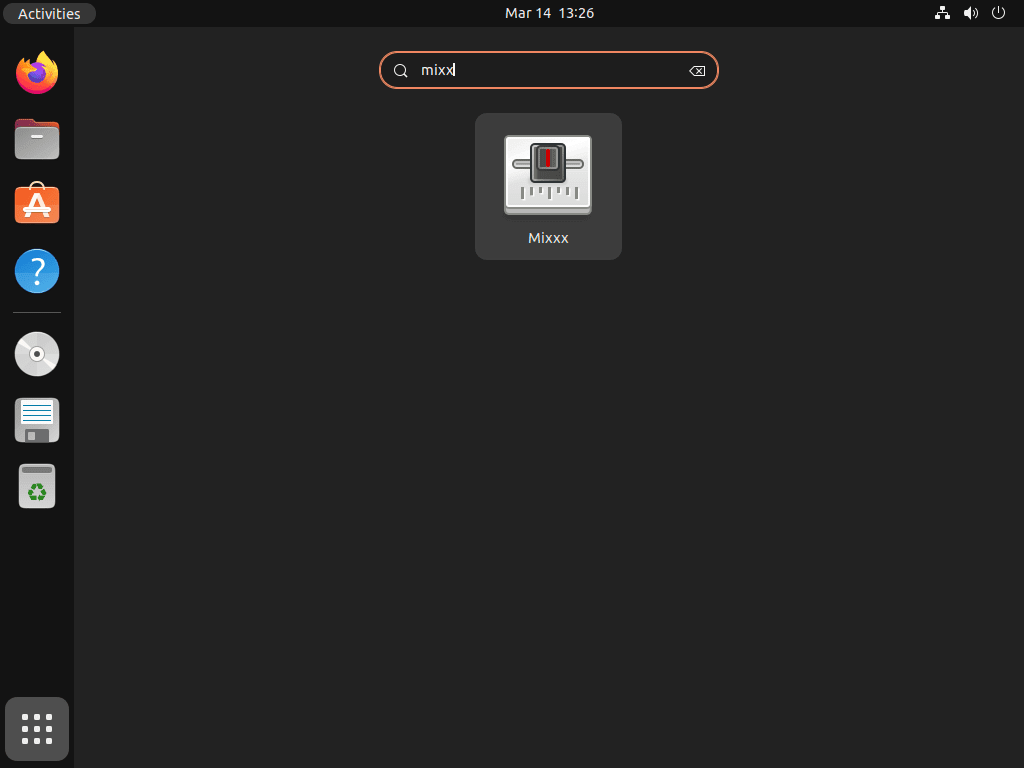
- Open the Activities overview or your applications menu.
- Search for
Mixxx. - Select the Mixxx launcher to start the application.
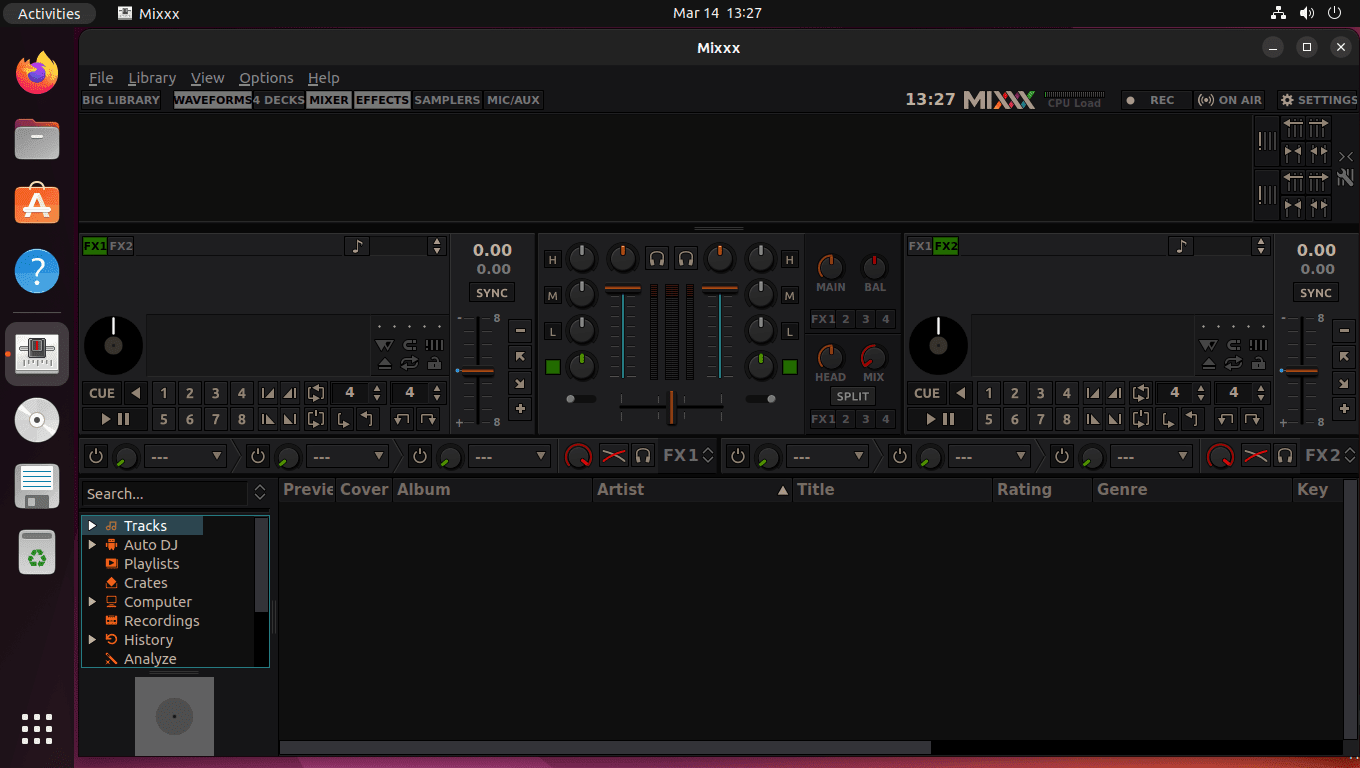
For library setup, controller mapping, or broadcast configuration, the Mixxx user manual and the Mixxx community forum are the best upstream references after the package install is finished.
Update or Remove Mixxx on Ubuntu
Keep the maintenance path matched to the package format you installed. That avoids stale sources, duplicate installs, and misleading version checks later.
Update Mixxx APT Installations on Ubuntu
Ubuntu repository and PPA installs both update through APT, so a targeted package upgrade is enough.
sudo apt update && sudo apt install --only-upgrade mixxx -yUpdate Mixxx Flatpak Installations on Ubuntu
Flatpak updates are separate from APT, so update the installed app through Flatpak itself.
sudo flatpak update org.mixxx.Mixxx -yRemove APT or PPA Installations of Mixxx on Ubuntu
APT and PPA installs use the same package removal step. Remove the package first, then let APT clean up dependencies it no longer needs.
sudo apt remove -y mixxxAfter the package is gone, review the autoremove list and remove the leftover auto-installed dependencies that nothing else needs.
sudo apt autoremoveIf you added one of the Mixxx PPAs and no longer need it, remove the specific channel source as well. For broader rollback and cleanup options, the guide to remove a PPA from Ubuntu covers the longer workflow in detail.
# Stable PPA
sudo add-apt-repository --remove -y ppa:mixxx/mixxx

# Beta PPA
sudo add-apt-repository --remove -y ppa:mixxx/mixxxbetas

# Nightly PPA
sudo add-apt-repository --remove -y ppa:mixxx/nightlies
Run only the command that matches the channel you enabled, then refresh APT.
sudo apt updateConfirm that the package is no longer installed and that APT has fallen back to Ubuntu’s own candidate for your release.
apt-cache policy mixxxmixxx:
Installed: (none)
Candidate: 2.4.0+dfsg-2build4
Version table:
2.4.0+dfsg-2build4 500
500 http://au.archive.ubuntu.com/ubuntu noble/universe amd64 Packages
Ubuntu 26.04 and 22.04 show the same fallback pattern, but with their own stock package versions. If you also want general package-cleanup background, see how to remove packages on Ubuntu from the command line.
Remove Mixxx Flatpak on Ubuntu
Flatpak can remove the app and its sandboxed data in one step.
sudo flatpak remove --delete-data org.mixxx.Mixxx -yClean up unused runtimes after the app removal finishes.
sudo flatpak uninstall --unused -yCheck that the Mixxx Flatpak app ID is no longer installed.
flatpak list --app | grep -F org.mixxx.Mixxx || echo "org.mixxx.Mixxx not installed"org.mixxx.Mixxx not installed
Mixxx also keeps personal library and settings data under your home directory after you launch it. Those paths can differ by package format and what the application actually created on your account, so inspect your home directory first and delete only the Mixxx-related folders that really exist if you want a full cleanup.
Mixxx on Ubuntu FAQ
Yes. Ubuntu 26.04 ships mixxx 2.5.4+dfsg-1build1 in resolute/universe, so the stock package is already on the current 2.5.x branch and is usually the simplest choice.
Use the stable PPA when you want the newest stable Mixxx package through APT, especially on Ubuntu 24.04 or 22.04. Use the beta PPA on Ubuntu 26.04 or 24.04 to test the upcoming release, use nightly only for main-branch testing, and choose Flatpak when you want a sandboxed stable app instead of a preview build.
Mixxx’s download page currently documents preview PPAs for Ubuntu 24.04 or later. On Ubuntu 22.04, the beta PPA does not currently expose a newer mixxx candidate, and although a nightly jammy build is still visible, Ubuntu 22.04 is better served by the stable PPA or Flatpak.
Mixxx’s official download page sends Ubuntu users to the Launchpad PPA as the recommended path. You can manually download individual Launchpad packages if you need a hand-installed package, but there is no separate standalone Ubuntu installer outside that package workflow.
Conclusion
Mixxx is installed on Ubuntu from the channel that matches your release and risk tolerance, from the stock package on 26.04 to the stable PPA on older LTS releases or preview PPAs when you deliberately want upstream testing builds. Once your library and audio routing are in place, the next useful additions are install Audacity on Ubuntu for edits and install OBS Studio on Ubuntu if you want to stream or record full DJ sets.

Formatting tips for your comment
You can use basic HTML to format your comment. Useful tags currently allowed in published comments:
<code>command</code>command<strong>bold</strong><em>italic</em><blockquote>quote</blockquote>